


Steps to Purchase Coins:

1. Visit the webstore and browse for the item you wish to purchase.
2. Select the item and click on the “Buy” button.
3. You will be redirected to a secure payment page. Enter your payment details.
4. Complete the transaction.
5. Once the transaction is successful, you will receive a confirmation message.
Steps to Claim Coins: After completing your purchase in the Web Store, you need to manually collect your purchased items from the "Events" tab in your game’s inbox. 1. Open the app after your purchase is successful. 2. Go to the "Events" tab in your game Inbox. 3. Tap "Collect" to add the coins and VIP points to your balance.
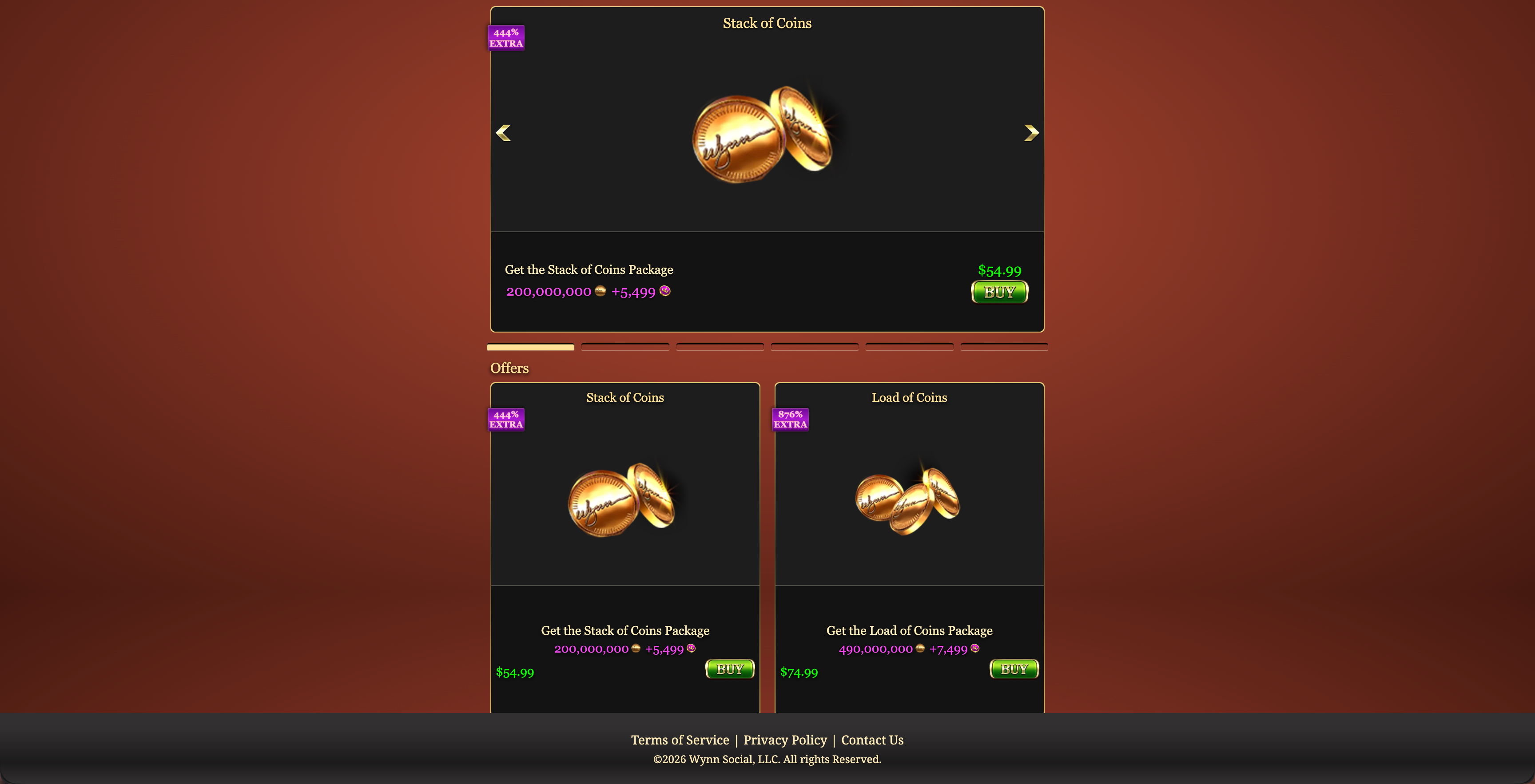
Fig 1: Web Store with products
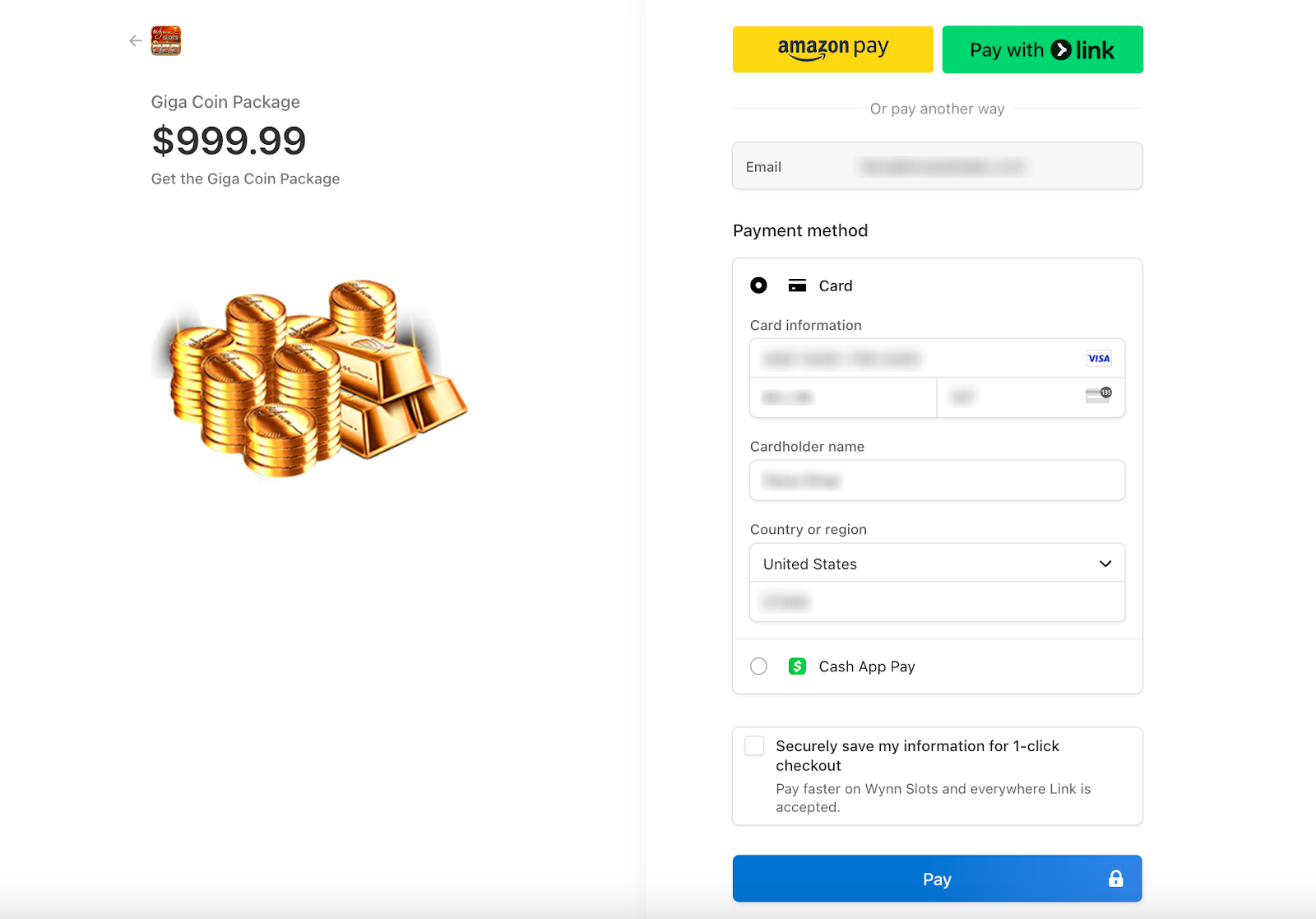 Fig 2: Payment Page
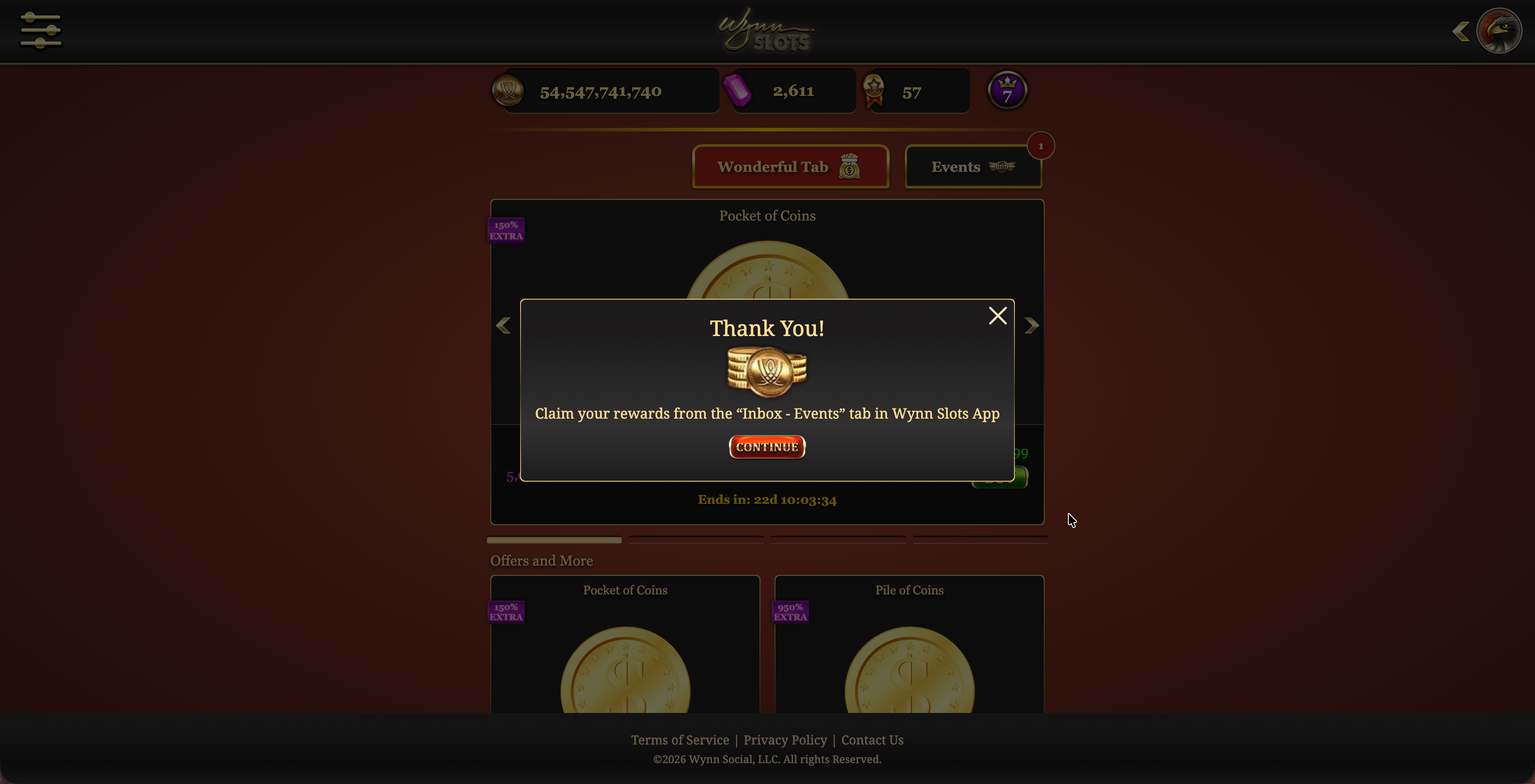 Fig 3: confirmation pop-up after successful payment
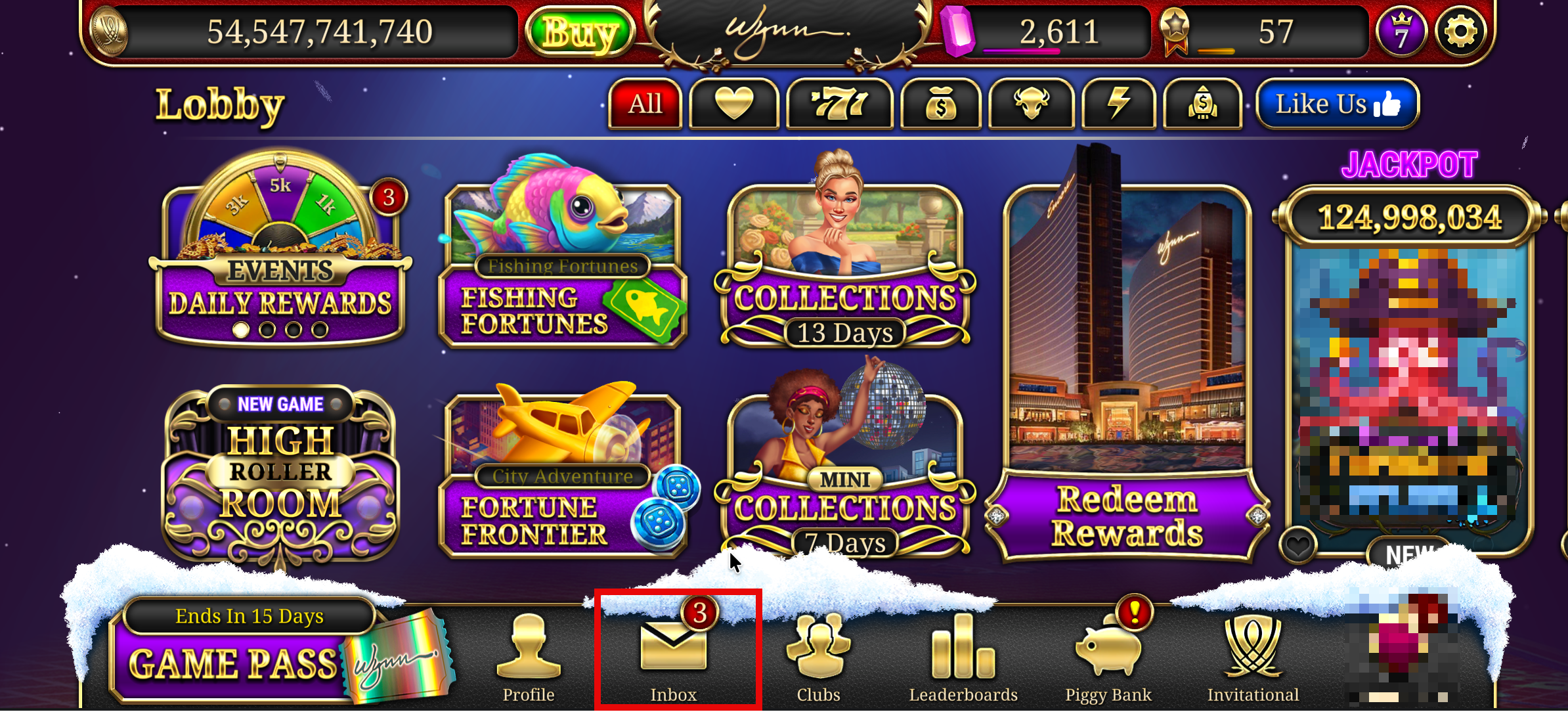
Fig 4: Go to Inbox from Lobby
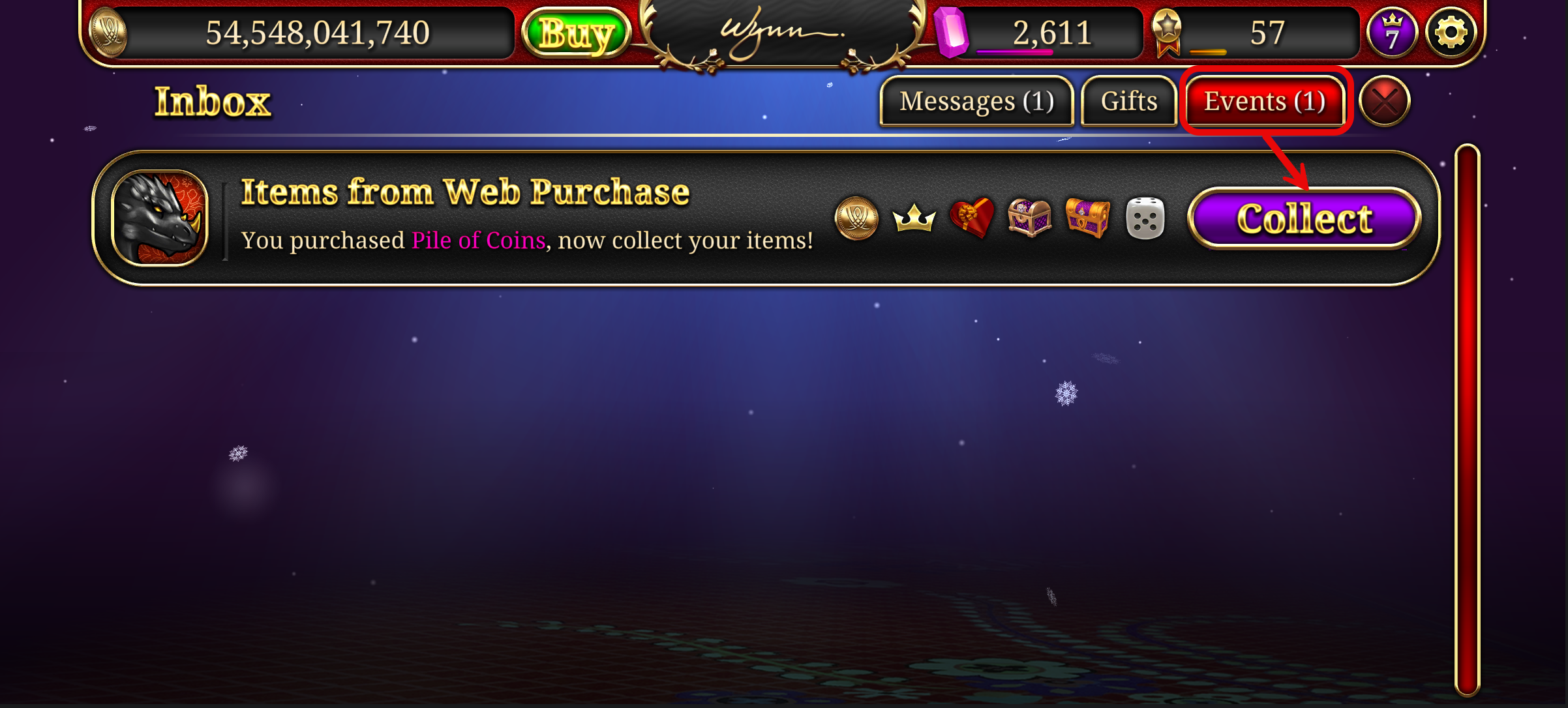 Fig 5: Collect the purchased coins from Events tab of your game's Inbox